
Skirmish Dice: WWII
Works with Bolt Action
Order dice, dice roller and unit trackers for WWII platoon skirmish games.
What it does
Skirmish Dice: WWII replaces the cup of order dice, the scrap paper and the pile of tokens at a historical WWII skirmish game. Your phone becomes the dice bag, the dice roller and the scorekeeper, so you can keep your eyes on the table. It works fully offline, has no ads, no account and no subscription.
Try it in your browser
The real app, running right here at phone size. Nothing to install, and nothing you enter leaves your browser.
Watch it in action
Skirmish Dice: WWII in 30 seconds
Recorded from the real app: 3D dice tumbling and landing, the dice bag draw, unit tracking, command points and the dark and light themes.
The video starts muted. Use the speaker button to turn the music on.
Features
3D dice that tumble
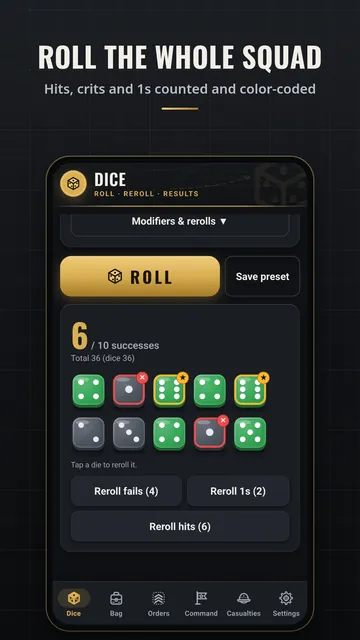
Every die is drawn in 3D and tumbles onto the table when you roll, then settles on the result. Hits, misses, crits and 1s are coloured and marked. Turn the animation down or off in Settings.
Order dice bag
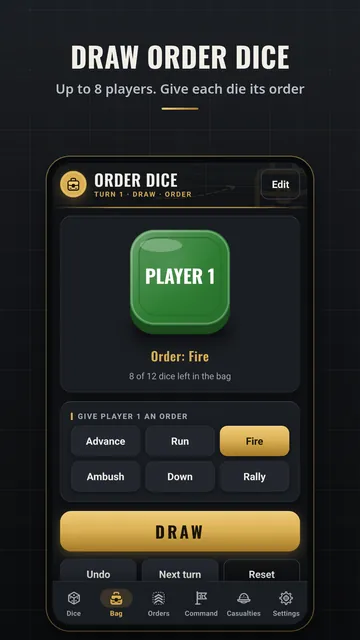
Draw order dice at random for up to 8 players, each with its own colour. Give each drawn die an order (Advance, Run, Fire, Ambush, Down or Rally), undo a draw, remove a die when a unit is lost and start the next turn with one tap.
Dice roller
Roll mixed pools of d3, d6, d8, d10, d12, d20 and d100 (up to 100 dice). Set a target to count successes, add modifiers, check a 2d6 morale total, and reroll fails, 1s or hits. Save your own presets; the last 50 to 500 rolls are kept in history.
Colour-coded unit cards
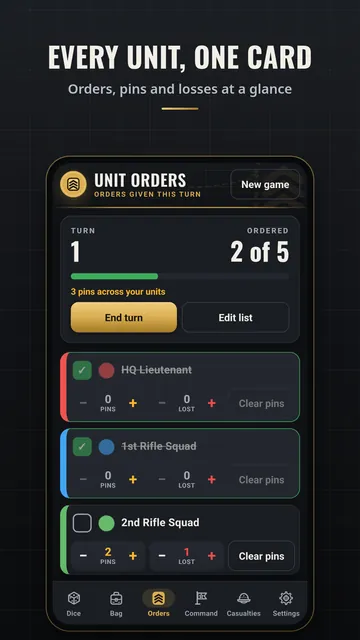
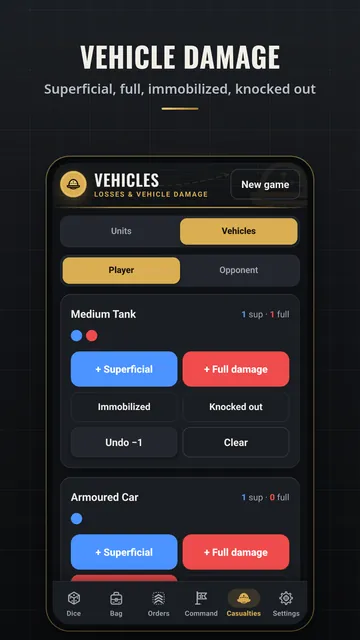
One card per unit for its order, pins, casualties and vehicle damage, with 8 colours (plus optional letters for colour-blind players) and short tags like HQ or A1. A progress bar shows who has acted this turn.
Game trackers
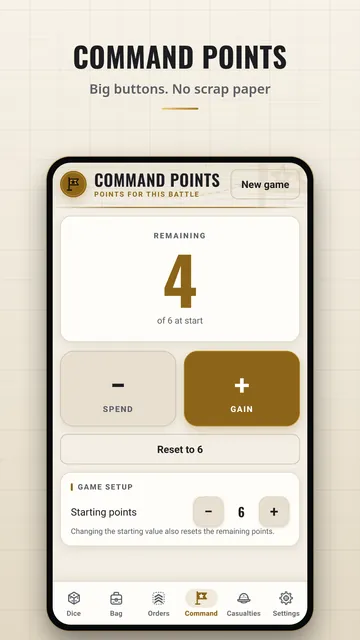
Command points with big +/- buttons, a casualty log for both sides, and vehicle damage markers with immobilized and knocked-out flags.
Big-number view (optional)
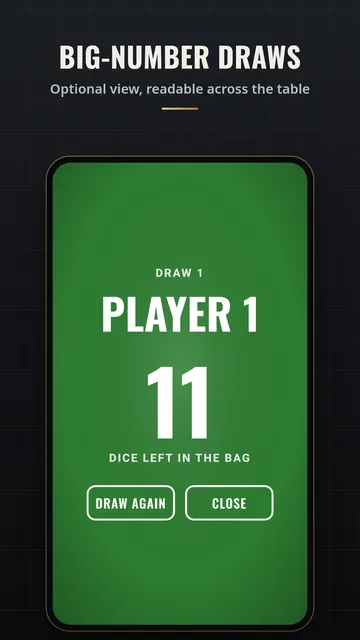
The drawn colour fills the screen with the player name and dice left, readable across the table.
Dark or light
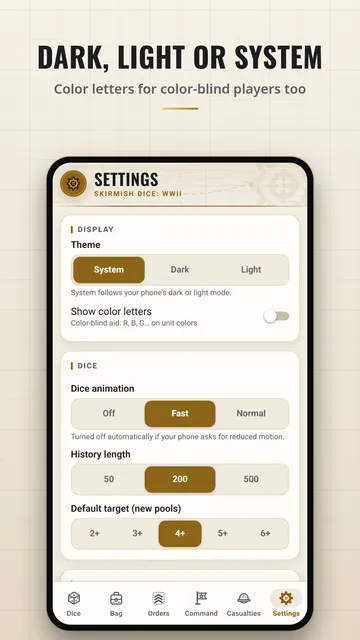
A charcoal-and-gold dark theme and a warm cream light theme. Follow your phone or pick one in Settings.
Built for the table
Large buttons, keep-screen-awake, optional buzz and click, and fair dice from your phone's secure random number generator.
How each tab works
A simple guide to every tab in Skirmish Dice: WWII: when to use it, how to use it, what each button does and what the words mean.
Dice tab
The Dice tab is your dice cup.
Bag tab
The Bag tab is a bag of order dice on your phone.
Orders tab
The Orders tab is a checklist of your units.
Command tab
The Command tab counts your command points.
Casualties tab
The Casualties tab counts the models each side has lost.
Settings tab
The Settings tab lets you set up the app the way you like.
See all 6 tab guides on one page →
Screenshots
How to
Short clips recorded from the app itself.
Roll a pool of dice
Tap + or +5 next to a die type to build your pool, then tap ROLL. The dice tumble and land; hits and totals are counted. Tap any die to reroll it.
Draw order dice
Open the Bag tab and tap DRAW to pull a random die, then give it an order. Undo takes back a mistake; Next turn puts every die back in the bag.
Track which units have acted
On the Orders tab, type a unit name and tap Add. Tap a unit when it gets its order; the progress bar shows how many are done.
Command points and vehicle damage
On the Command tab, tap − to spend a point and + to gain one. Casualties and vehicle damage are on the next tab.
Switch dark and light
In Settings, pick System to follow your phone, or Dark or Light to choose for yourself.
Fair dice, every roll
Every die comes from your phone's secure random number generator, and every face gets exactly the same chance. No weighting, no luck settings, no server.
Get it
Privacy
The app collects no data. Everything you enter stays on your phone. Read the full privacy policy for Skirmish Dice: WWII. Questions? nexusgamesapps@gmail.com