Skirmish Dice: Strange Front
Works with Konflikt ’47
Rift dice, activation dice and squad trackers for alternate-history skirmish games.
What it does
Skirmish Dice: Strange Front is the table-side helper for alternate-history skirmish games. It rolls normal and rift dice, draws activation dice and tracks every squad's Guts, Luck and Rift points from one phone. It works fully offline, has no ads, no account and no subscription.
Try it in your browser
The real app, running right here at phone size. Nothing to install, and nothing you enter leaves your browser.
Watch it in action
Skirmish Dice: Strange Front in 30 seconds
Recorded from the real app: 3D dice tumbling and landing, the dice bag draw, unit tracking, command points and the dark and light themes.
The video starts muted. Use the speaker button to turn the music on.
Features
3D dice that tumble
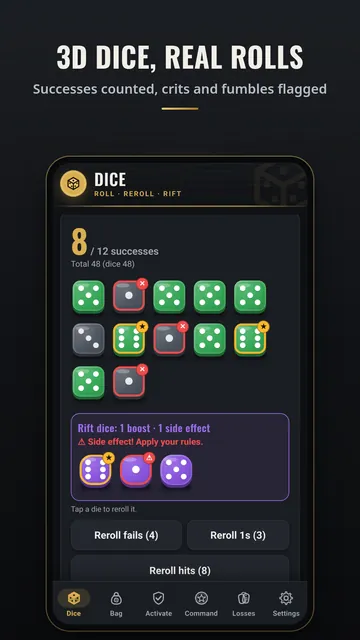
Every die is drawn in 3D and tumbles onto the table when you roll, then settles on the result. Hits, misses, crits and fumbles are coloured and marked. Turn the animation down or off in Settings.
Rift dice
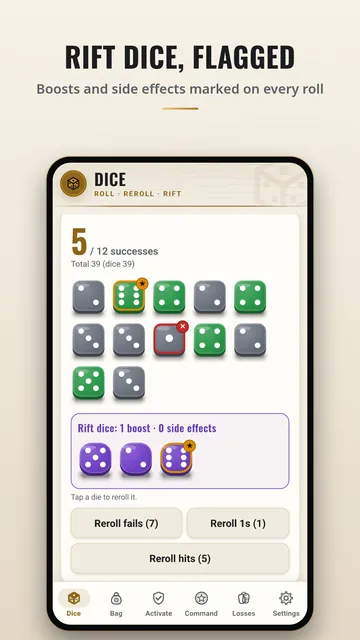
Roll purple rift dice alongside any pool, tracked separately. A 6 is flagged as a boost and a 1 as a side effect by default, and you can change both ranges. Tap any rift die to reroll it.
Guts, Luck and Rift points
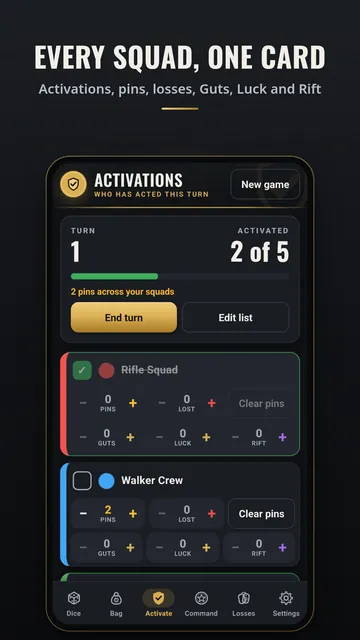
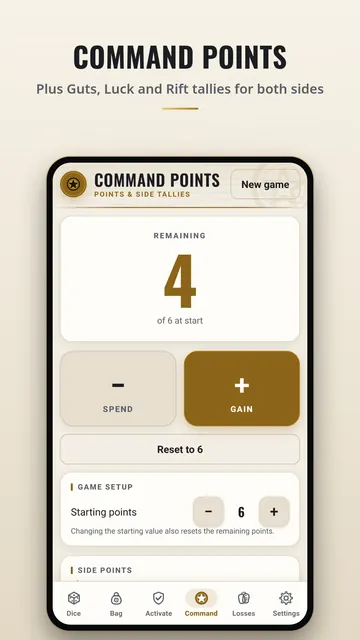
Counters on every squad card, plus per-side totals on the Command tab.
Activation dice bag
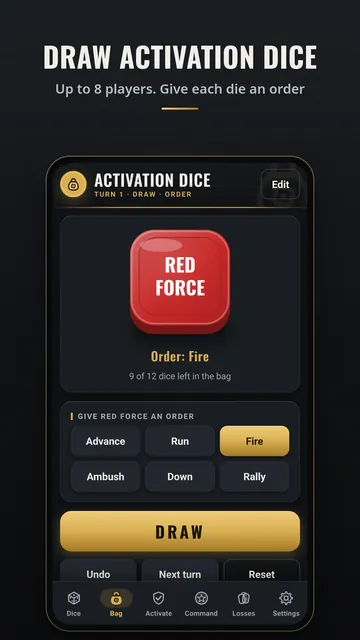
Draw dice at random for up to 8 players, each with its own colour. Give each drawn die an order (Advance, Run, Fire, Ambush, Down or Rally), undo, and start the next turn with one tap.
Dice roller
Mixed pools of d3 to d100 (up to 100 dice), success targets, modifiers, 2d6 and percentile checks, rerolls, saved presets and roll history.
Colour-coded squad cards and trackers
One card per squad for activation, pins, losses and vehicle or walker damage; command points; and a loss log for both sides.
Optional extras
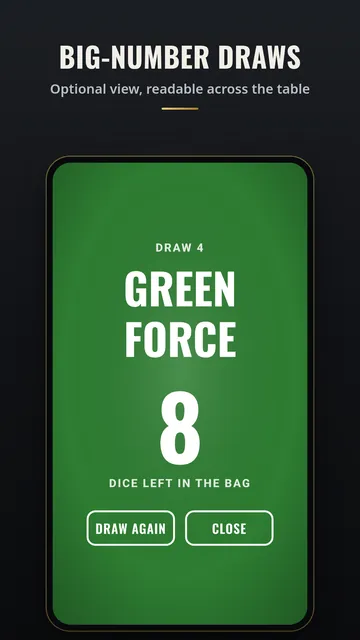
A big-number view readable across the table, and a rift quick-reference for your own short notes. Both stay off until you turn them on.
Dark or light
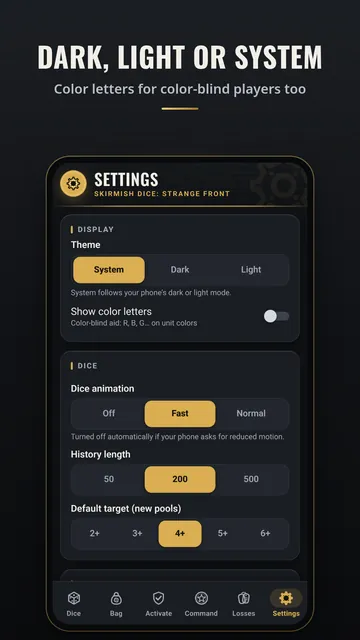
A charcoal-and-gold dark theme and a warm cream light theme. Follow your phone or pick one in Settings.
How each tab works
A simple guide to every tab in Skirmish Dice: Strange Front: when to use it, how to use it, what each button does and what the words mean.
Dice tab
The Dice tab is your dice cup.
Bag tab
The Bag tab is a bag of activation dice on your phone.
Activate tab
The Activate tab is a checklist of your squads.
Command tab
The Command tab counts your command points.
Losses tab
The Losses tab counts the models each side has lost.
Settings tab
The Settings tab lets you set up the app the way you like.
See all 6 tab guides on one page →
Screenshots
How to
Short clips recorded from the app itself.
Roll normal and rift dice
Tap + or +5 to build your pool, add rift dice with the Rift d6 + button, then tap ROLL. Boosts and side effects are flagged.
Draw activation dice
Open the Bag tab and tap DRAW to pull a random die. Undo takes back a mistake; Next turn refills the bag.
Track which squads have acted
On the Activate tab, type a squad name and tap Add, then tap each squad as it activates.
Spend command points
On the Command tab, tap − to spend a point and + to gain one. Side points for Guts, Luck and Rift are below.
Switch dark and light
In Settings, pick System to follow your phone, or Dark or Light to choose for yourself.
Fair dice, every roll
Every die comes from your phone's secure random number generator, and every face gets exactly the same chance. No weighting, no luck settings, no server.
Get it
Privacy
The app collects no data. Everything you enter stays on your phone. Read the full privacy policy for Skirmish Dice: Strange Front. Questions? nexusgamesapps@gmail.com