
Cog & Clock: Battle Tracker
Coming soon
Works with Warmachine
An offline battle tracker for steampunk mech-and-warrior tabletop wargames: army cards, per-model damage, game clock and dice odds.
What it does
Cog & Clock is an offline battle tracker for steampunk mech-and-warrior tabletop wargames. Build your own army cards, track damage on every model with a tracker laid out the way you want, run each phase with reminders, keep a chess-style game clock and check exact dice odds. Optional QR base stickers and two-phone sync are there when you want them. No ads, no account and no subscription; your data stays on your phone.
Features
Your army, your cards
Make your own unit cards: stats with your own labels, weapons, special rules in your own words, and notes. Share a card or a whole army with a friend as a file or a QR code. An optional collection tracker marks what you own, have built and have painted.
Damage that matches your models
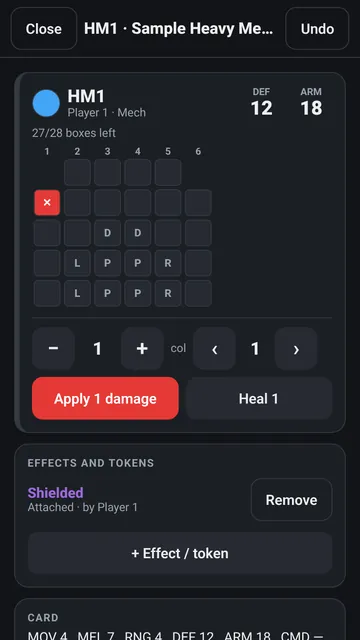
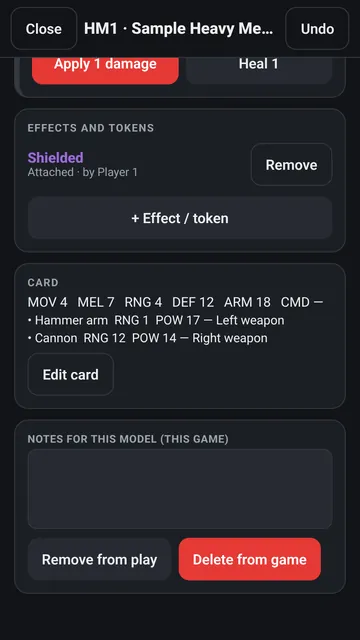
Every model gets its own tracker: simple health, a row of boxes, a damage grid with system letters, or a spiral with aspects, all laid out by you. Tap to mark, long-press to heal, and undo anything. Destroyed and disabled systems show at a glance, with defence and armour next to health.
Effects, tokens and resources
Continuous effects, attached effects with durations and upkeep, and stackable tokens on each model. Leader resource points you name yourself: allocate, spend, generate, refill or clear at the start of a turn.
Phase reminders and scoring
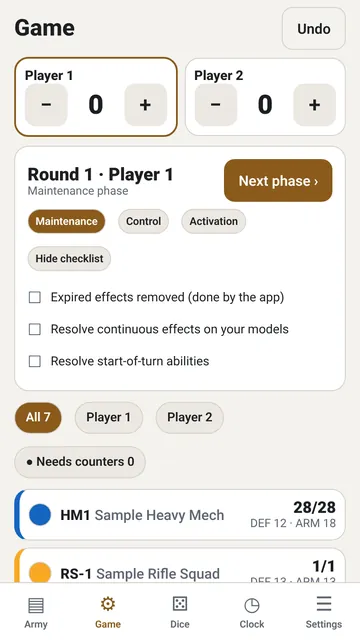
A checklist for each phase. The app expires effects, replenishes points and lists upkeep to pay. Scenario scoring, a round counter and a needs-counters filter keep the turn moving.
Chess-style game clock
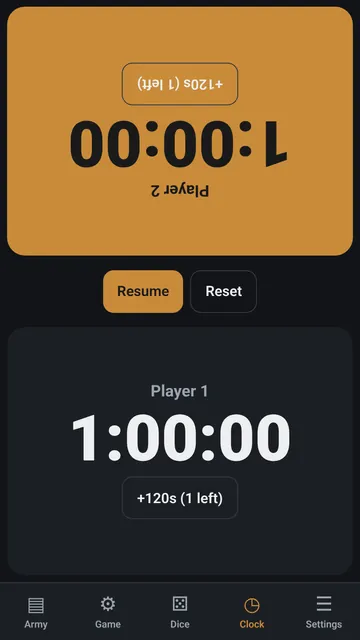
Time banks for both players, tap to pass, pause and extensions.
Dice and exact odds
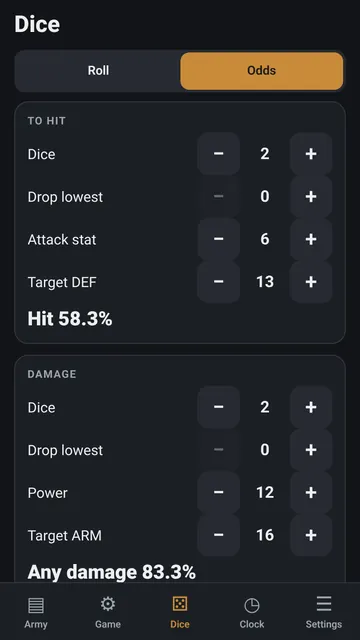
A 2d6 / 3d6 roller with extra dice and drop-lowest, plus exact hit odds, damage odds and expected damage.
QR base stickers (optional)
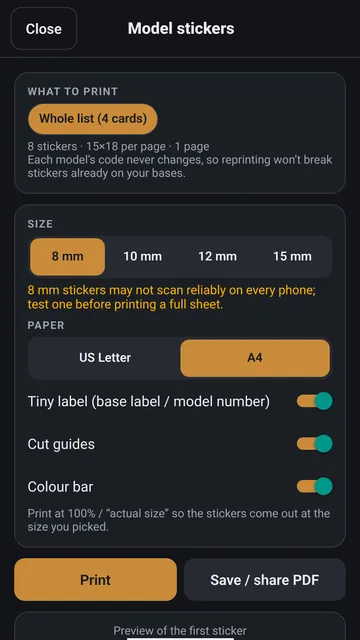
Print tiny stickers (8 to 15 mm, Letter or A4) and scan a model's base to jump straight to its live card with its armour, damage and stats. Reprints never break old stickers.
Two-phone sync (optional)
Share one game with your opponent's phone over the same Wi-Fi, with no server and no account, or hand the game over with QR codes.
Dark or light
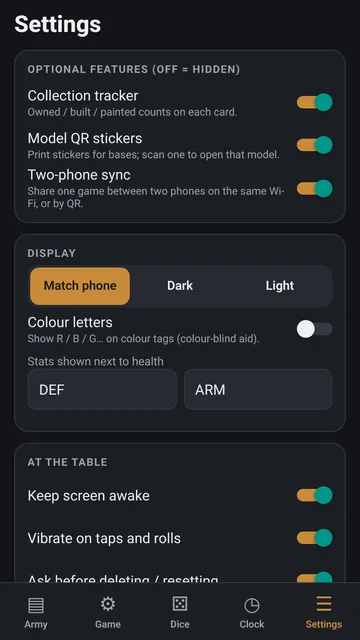
Match your phone, or pick Dark or Light in Settings. Keep-screen-awake, vibration and colour letters for colour-blind players are built in.
How each tab works
A simple guide to every tab in Cog & Clock: when to use it, how to use it, what each button does and what the words mean.
Army tab
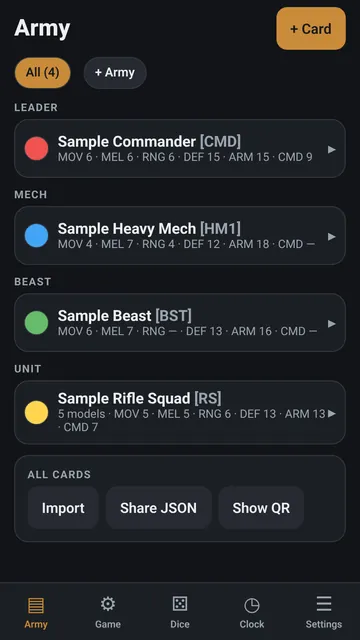
The Army tab holds your unit cards.
Game tab
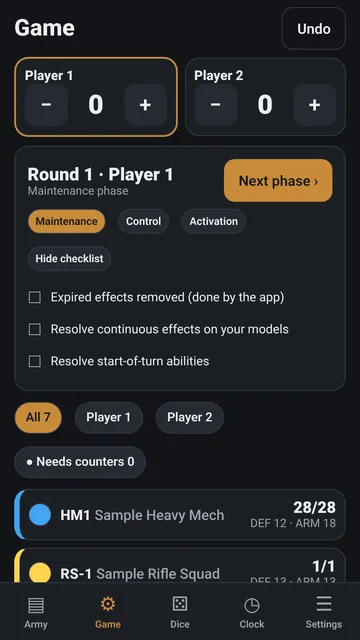
The Game tab runs the battle.
Dice tab
The Dice tab rolls six-sided dice and works out your exact chance to hit and to do damage.
Clock tab
The Clock tab is a chess clock.
Settings tab
The Settings tab turns extra features on or off and sets up the look and the game rules you use most.
See all 5 tab guides on one page →
Screenshots
How to
Build your army
On the Army tab, tap + Card. Pick the type, colour and base label, enter your stats in your own words and choose a damage tracker. Tap Load samples to try it with invented example units.
Put models on the table
Tap a card to open its actions, then tap + Player 1 or + Player 2. Every model gets its own live tracker.
Mark damage
On the Game tab, tap a model, tap the boxes that take damage, then Apply damage. Long-press to heal, and Undo takes back any mistake.
Run the turn
Tap Next phase to move through the turn. The checklist shows what to resolve, and the +/- buttons keep the score.
Roll or check the odds
On the Dice tab, tap Roll, or switch to Odds and enter the dice, stat and target to see your exact chance to hit and damage.
Use the game clock
On the Clock tab, tap your side to pass the turn. Pause any time; extensions are one tap.
Print QR base stickers (optional)
In Settings, turn on Model QR stickers. On the Army tab, open Sticker sheet, choose the size and paper and print. At the table, tap Scan and point the camera at a base.
Fair dice, every roll
Every die comes from your phone's secure random number generator, and every face gets exactly the same chance. No weighting, no luck settings, no server.
Get it
Privacy
The app collects no data. The camera is only used to read QR codes, and optional two-phone sync stays on your own Wi-Fi. Everything you enter stays on your phone. Read the full privacy policy for Cog & Clock: Battle Tracker. Questions? nexusgamesapps@gmail.com